¶ Car owners
Open in CRM: /finance/investors
Finance → Car owners (/finance/investors) is where the fleet keeps the people who own its cars: their shares in each car, the statement they are paid by and the checks before a payout.
¶ Owners
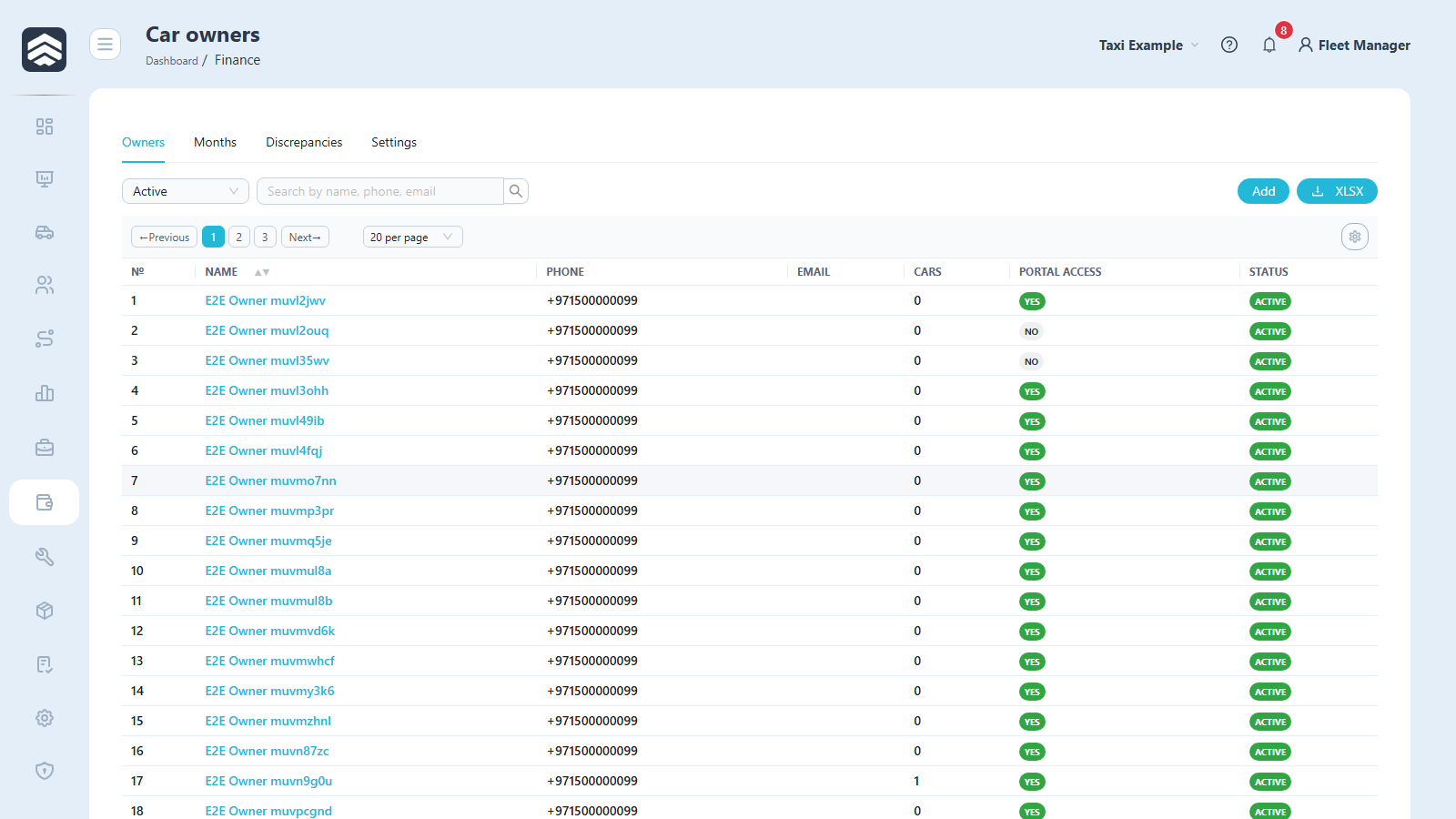
The list of owners with phone, email, the number of cars they hold a share in today and whether they have portal access. Add creates an owner together with a counterparty of the Car owners type — payouts to the owner are made to that counterparty.
¶ Shares
A share is an owner × car × percent × period. Shares are never edited or deleted:
- Close ends a share on a date; a new owner starts the next day.
- Void removes a mistaken share from the calculation and keeps it, with the reason, for history.
The shares of one car never add up to more than 100 % on any day; what is left belongs to the park. A car with an owner share must also be marked Investor car in its details — otherwise the park P&L keeps the money the owner is paid, and the share is flagged Counted twice.
The same shares are visible in the car card, block Owners.
¶ Statement
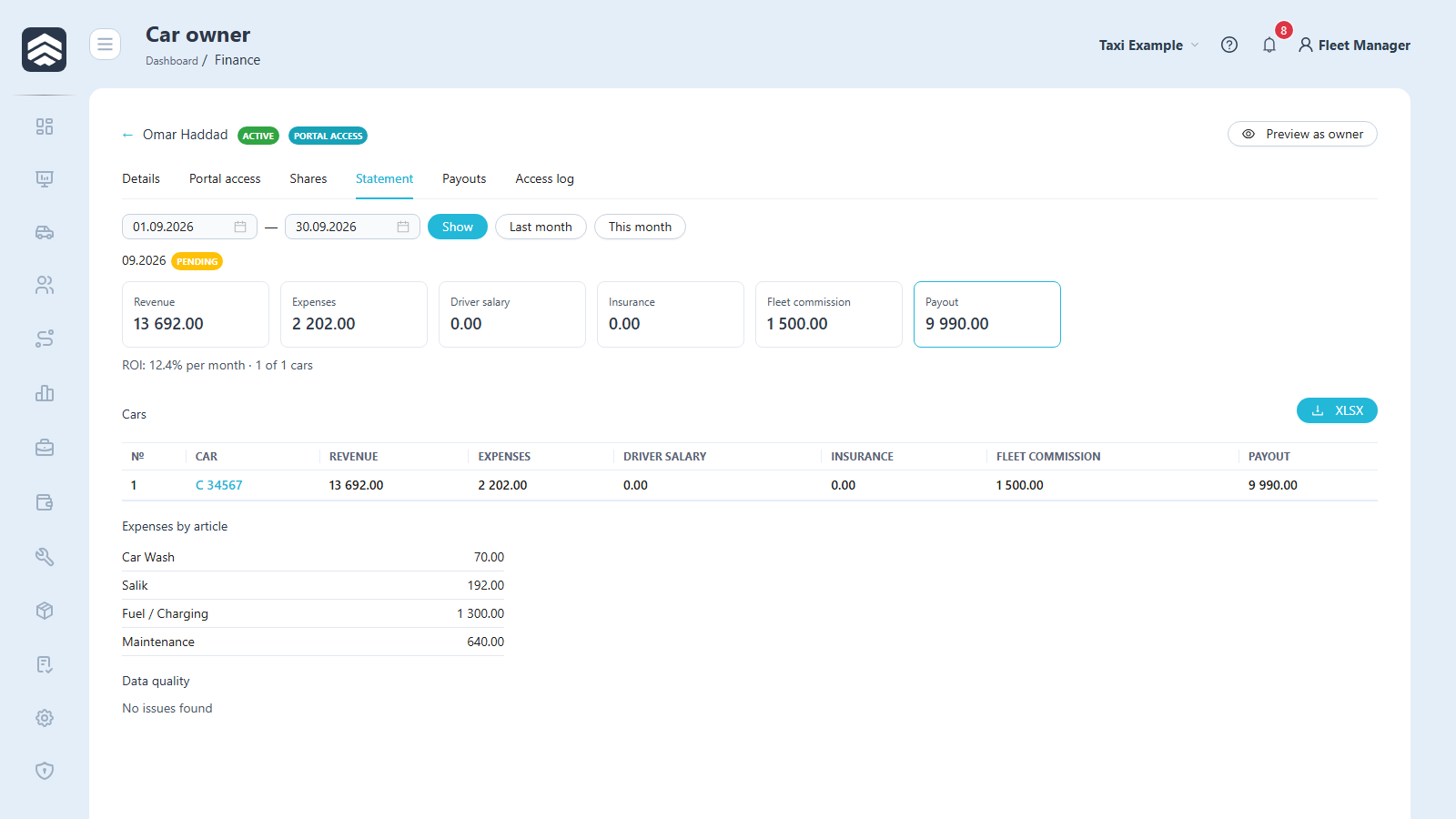
The owner card shows the statement for a period, in the owner's share: revenue, expenses, driver salary, insurance, park commission and the payout, by car and by expense article. Each month has a status — Open, Preliminary or Final. Below it, Data quality lists what in the data may move the numbers: estimated salaries, charges after the payroll document, policies without a premium.
¶ Portal access
Tab Portal access of the owner card gives the owner a place to see their cars from a phone:
- Open portal access creates the owner's login and an invitation link to set a password. The link works for 24 hours; Copy invitation copies the link, the portal address, the login and a short note for iPhone users. The fleet never learns the password.
- Reset password issues a new link — the previous one stops working at once. If the owner also uses the cabinet of another fleet, the password cannot be reset from here — they change it in their profile.
- Block and Close sessions cut the access immediately: the owner is signed out on the next click.
- Link a company user — when the owner is an employee or a driver of the fleet, the cabinet is added to their existing account as a second cabinet, without a new login.
- Invite from another fleet gives a code for an owner who already has an account in another fleet. Once the code is entered, you see which account accepted it and when: check with the owner by phone and press Confirm invitation — until then the fleet does not appear in their cabinet. A new code cancels the previous one, even an accepted one.
Clearing Owner is active on the Details tab closes the cabinet in this fleet at once and ends the owner's sessions.
¶ Months and finalization
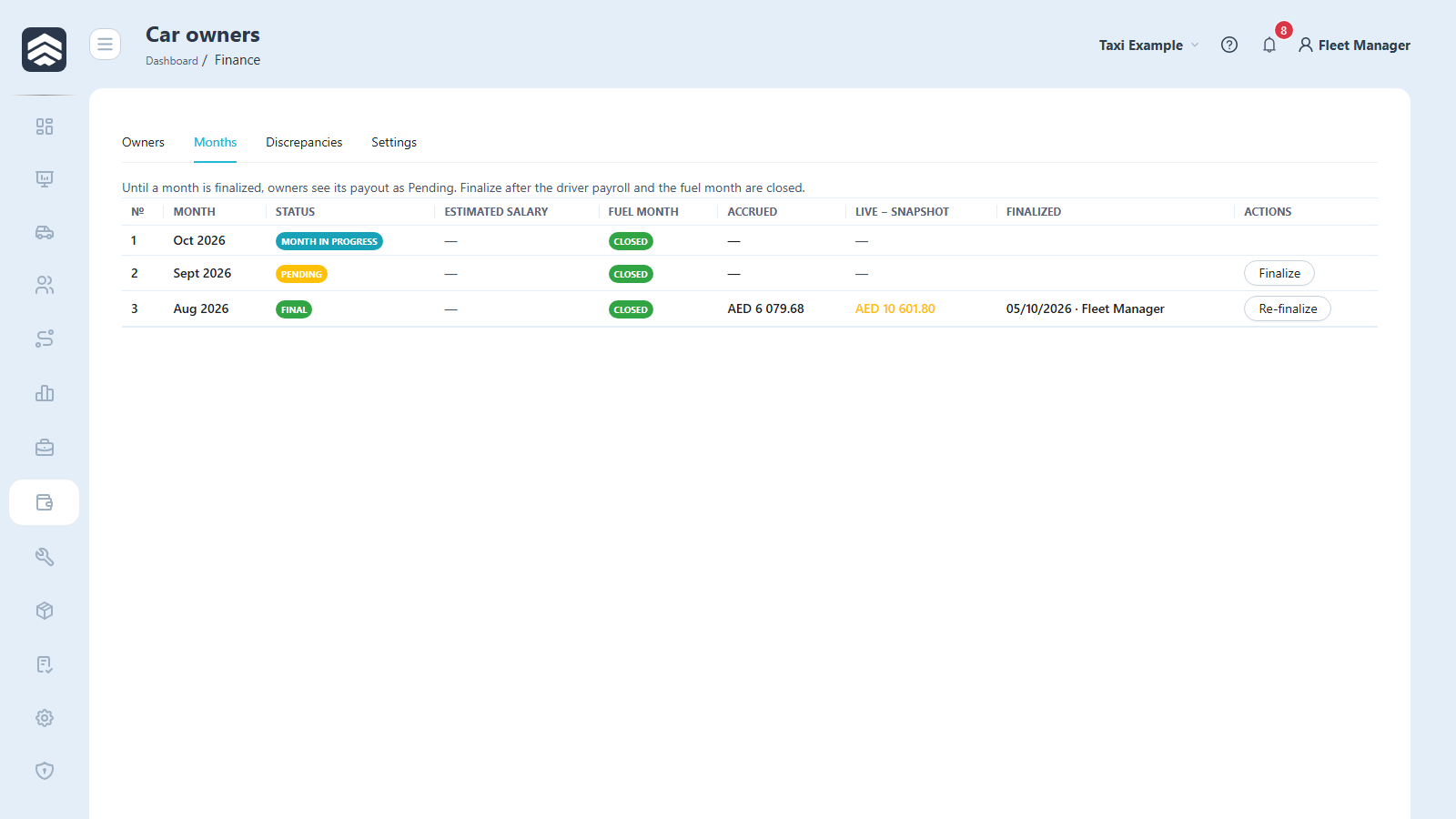
Tab Months of Car owners shows each month of the company: whether it is in progress, preliminary or final, which driver salaries are still estimated and whether the fuel month is closed. Until a month is finalized, owners see its payout as Pending.
Finalize freezes the month for every owner at once. Late transactions after that do not move the amount an owner was told; the column Live − snapshot shows how far the live numbers have moved, and Re-finalize replaces the snapshot — the owner sees the difference as an adjustment. If a share was voided after finalization, re-finalizing zeroes its snapshot.
A month can be finalized only after it ends and after its Formula fuel month is closed.
¶ Payouts
Tab Payouts of the owner card: accrued by finalized months, paid, and the balance — Owed to the owner, Overpaid or Settled. Record payout opens the usual payment form with the owner as counterparty and the purpose with the Investor Payment P&L article filled in (when the company has one; otherwise pick it by hand). Only payouts with the owner as counterparty count; payments waiting for approval do not.
¶ Preview as owner
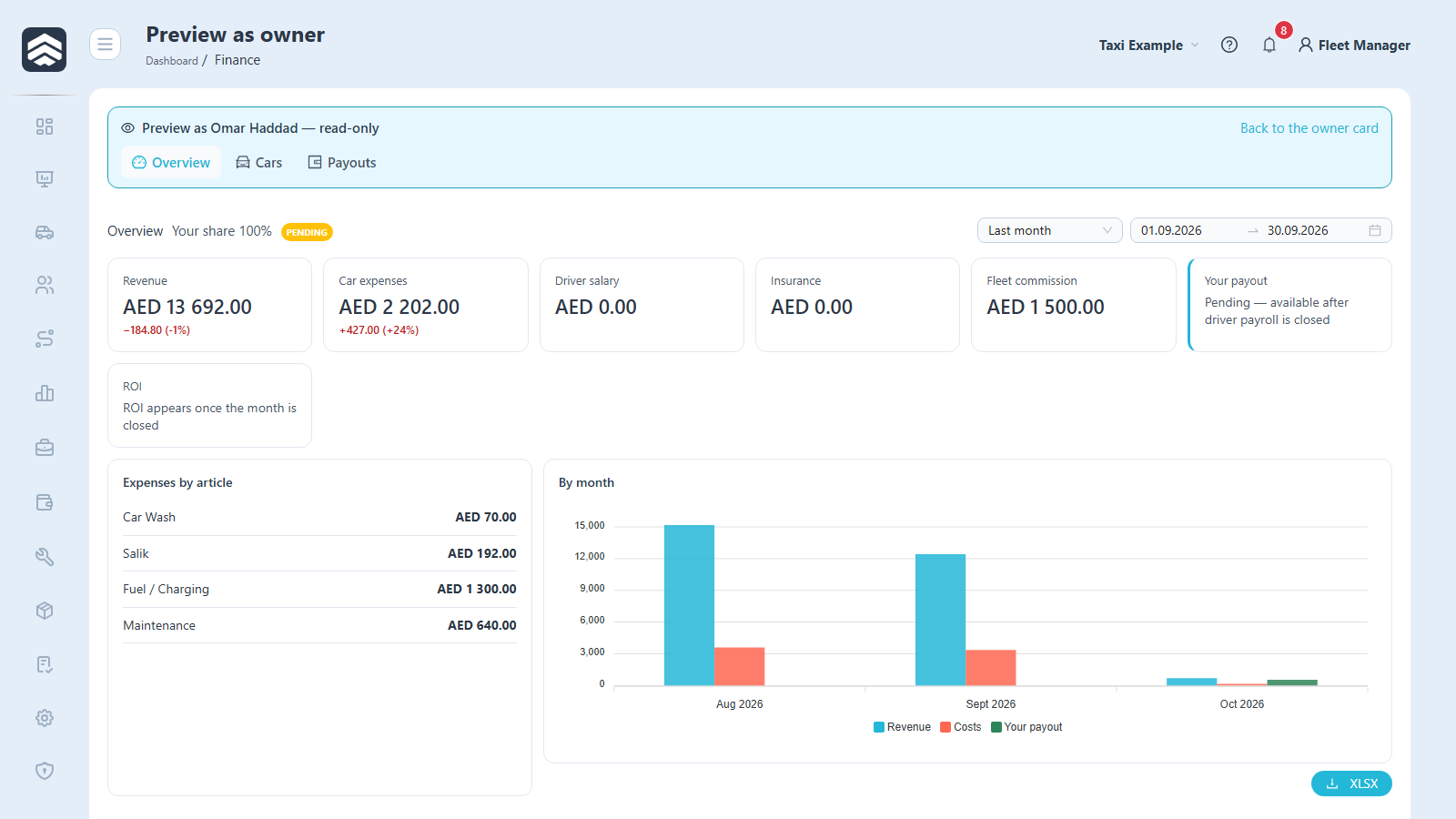
Preview as owner in the owner card opens exactly what the owner sees in their cabinet — the same numbers, Pending months, adjustments and the operations list — read-only, inside the fleet portal. Use it to check a statement before giving the owner access or before a payout. The preview does not sign you in as the owner and works before the owner has an account. Every preview is written to the Access log, separately from the owner's own visits.
¶ Every month
- By the 5th: process the driver payroll documents for the past month and close the fuel month.
- Car owners → Months: check what is estimated and the data quality; open Preview as owner for a few owners.
- Finalize the month — owners see the amount instead of Pending.
- Pay owners with Record payout.
¶ Discrepancies and settings
Discrepancies collects what to fix before paying owners:
- a share on a car not marked as an investor car, and the mark without a share;
- shares of a car below 100 % in total — the rest is the fleet's, check that it is meant so;
- a car without a purchase price — the owner sees no ROI;
- a payout with the Investor Payment article but without the owner as counterparty — it does not count;
- shares of an owner without portal access, and an invitation not confirmed;
- a past month that is due for finalization.
Settings holds the date debts are counted from and the finalize reminder.