¶ Client card
Open in CRM: /carlift/customers/9600
One carlift client: money, trips, subscriptions, contacts and addresses on the map.
¶ How the card is laid out
The order follows how often each part is needed, not the structure of the record. At the top is the header: name, status, One-off trip and the ⋯ menu with Delete…. Under the name are the client's phone, WhatsApp and e-mail — one click calls or opens the chat, the button beside each copies it.
Then, top to bottom:
- Finance — the balance first: whether the client owes is decided before anything else. Below it the invoices with Paid / Remaining and the ledger; long lists open in portions with Show more.
- Trips — a calendar window over the client's trips: three weeks on a wide screen, three days on a narrow one. The arrows move it back and forth, Today returns to the current dates; past trips are viewed the same way as future ones. A click on a trip opens its card — see Operations.
- Subscriptions — the client's contracts with schedule, route, period and price; New subscription opens the creation form with this client already chosen.
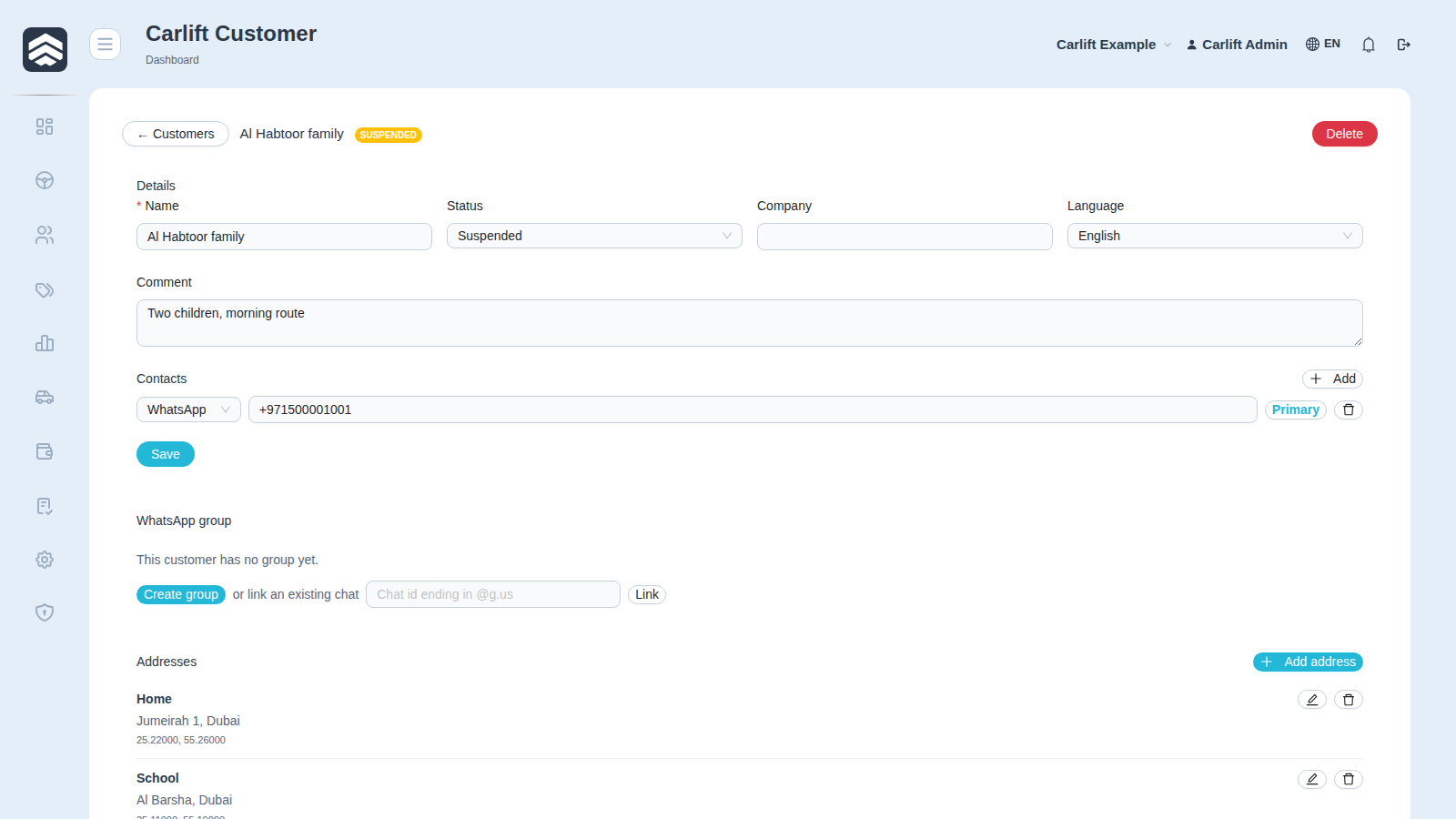
- Folded blocks, edited when the client is set up: Details and contacts, Addresses, Drivers, WhatsApp group.
The card is being tried out in this layout. Back to the previous card switches to the earlier one — details, group and addresses on top, subscriptions, trips, drivers and finance in tabs; Try the new card switches back.
¶ Money
With CARLIFT_BILLING_MANAGE the finance block offers Record a payment, Sell a package (a prepaid number of rides) and Adjustment. A ledger entry is never edited — Reverse writes a correcting entry beside it and requires a reason. Without CARLIFT_BILLING_READ the block is not shown at all.
Remaining on an invoice changes together with its status: a partially paid invoice is not tracked.
¶ Addresses
Addresses are picked on a map, not typed: the pickup point is a coordinate, and the driver is sent to it. A driver note on an address (second gate, call from the car park) saves a phone call every single morning.
¶ Drivers
Preferred drivers are offered first when a trip is assigned; excluded ones are never assigned to this client. The reason is optional, but it is what the next dispatcher reads.
¶ What can be done here
Edit the client (CARLIFT_CUSTOMER_CHANGE), remove it (CARLIFT_CUSTOMER_DELETE) and create a One-off trip for it (CARLIFT_TRIP_ADD) — the ride that does not belong to any subscription; a missing address can be added right in that form. Subscriptions are visible with CARLIFT_SUBSCRIPTION_READ and created with CARLIFT_SUBSCRIPTION_ADD.
¶ Personal data
A carlift address list is a schedule of when people are at home. Treat it accordingly.
¶ Related pages
Clients · Subscription card · Operations · Late arrivals · Carlift