¶ Auto withdrawal
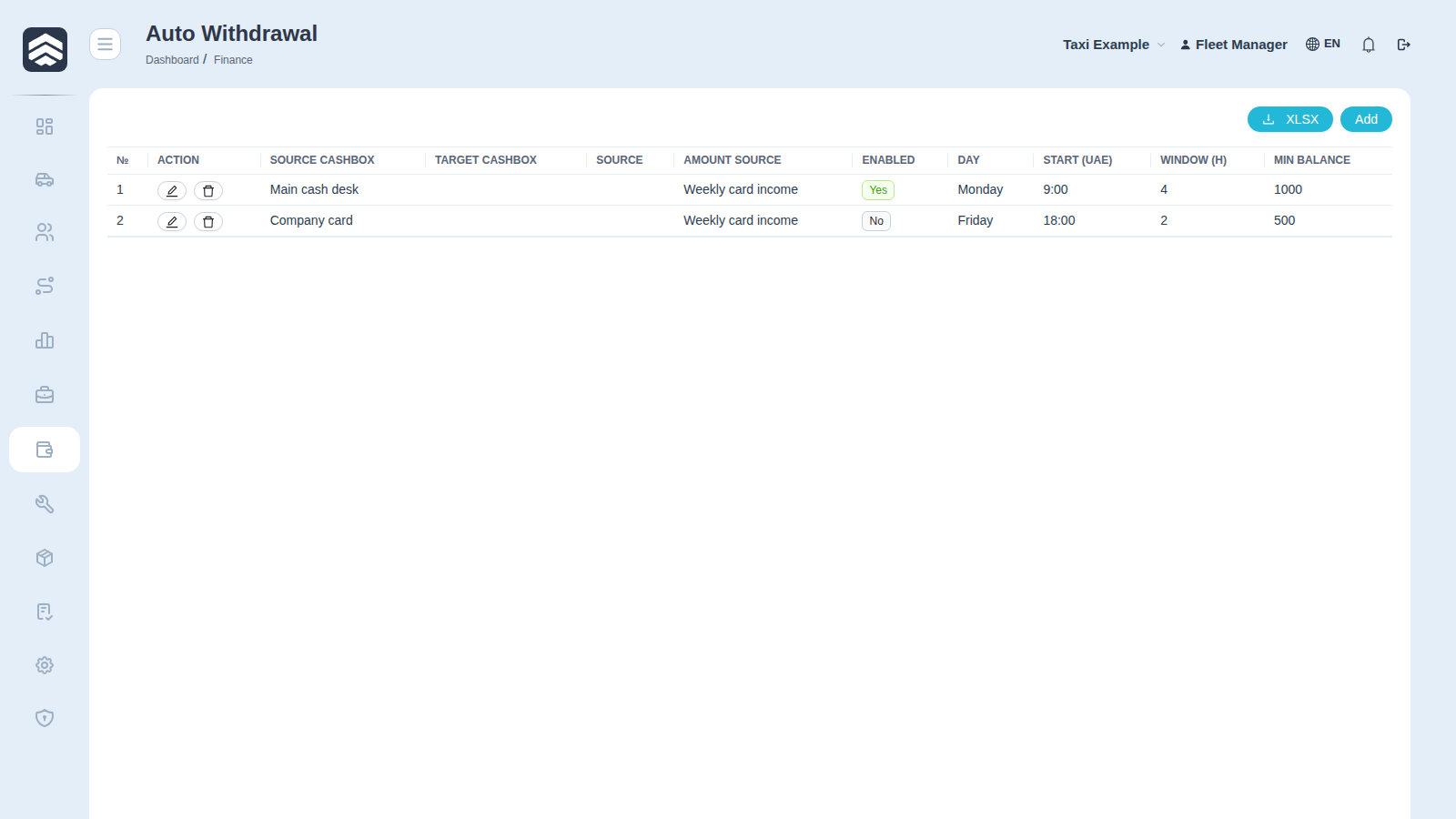
Open in CRM: /finance/auto-withdrawal
Finance → Auto Withdrawal (/finance/auto-withdrawal) moves money between cashboxes on a schedule, so that a balance which should not sit somewhere does not sit there over the weekend.
¶ Table
| Column | Description |
|---|---|
| Action | Edit the rule |
| Source CashBox | Where money is taken from |
| Target CashBox | Where it goes |
| Source | Integration that feeds the source cashbox |
| Amount source | What the amount is calculated from |
| Enabled | Whether the rule runs at all |
| Day | Day of the week the rule fires |
| Start (UAE) | Start time, UAE local |
| Window (h) | How many hours the rule may keep trying |
| Min Balance | Amount left untouched on the source |
¶ How the window works
A rule does not fire at one exact second. It starts at Start (UAE) and stays eligible for Window (h) hours — if the balance is below Min Balance at the start, the transfer can still happen later inside the window once money arrives.
Min Balance is the safety line: it is what stays on the source cashbox no matter what, so an automatic transfer cannot empty a desk that still has to pay someone today.
Rights: AUTO_WITHDRAWAL_WRITE to create and edit rules.