¶ Salaries
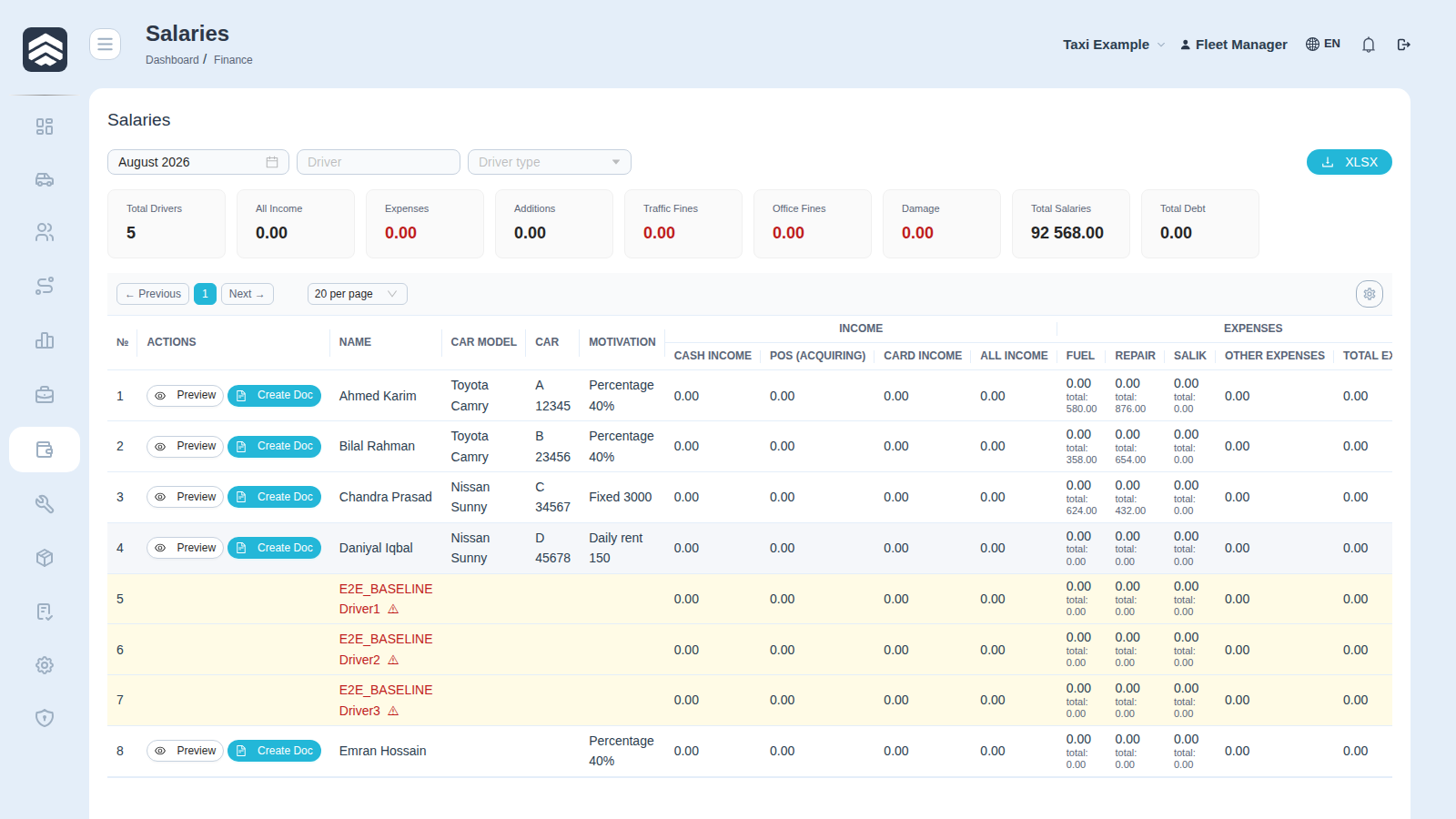
Open in CRM: /finance/salaries
Finance → Salaries (/finance/salaries) turns a month of a driver's work into one number: what the fleet owes them, or what they owe the fleet.
¶ Choosing the period
Select month picks the month. Needs recalculation marks drivers whose underlying data changed after the last calculation — an import arrived, a fine was added, a motivation rule was edited. Recalculate before drawing conclusions from those rows.
¶ Totals
Total Drivers, All Income, Expenses, Additions, Traffic Fines, Office Fines, Damage, Total Salaries and Total Debt.
¶ The table, group by group
The table is wide because a salary is an assembly, not a single figure. Columns come in five groups — Income, Expenses, Commission, Additions, Deductions — and end with the payout.
- Income: Cash Income · POS (Acquiring) · Card Income · All Income
- Expenses: Other Expenses · Total Expenses · Net Sales
- Rate and bonuses: Rate · Tip · Bonus · Total Addition · Total Payout
- Deductions: Traffic Fines · Admin Fees · Office Fines · Damage Charges · Other Deductions · Total Deduction
- Result: Net Payout · Previous Balance · Cash Pending · Net Salary
Previous Balance is what carried over from the previous month, and it is the column people forget: a driver with a positive salary this month can still owe the fleet overall.
Cash Pending is cash the driver has collected but not yet handed in. It is not income of the fleet until it is handed over, and it is not the driver's money either.
¶ Documents
Preview shows the payslip, Create Doc fixes the calculation into a document, and the document can be exported to PDF. Fixing matters: after it, later data changes no longer move the figure silently — you get Needs recalculation instead. Cancelling the document unfixes it.
XLSX exports the table as you see it.
¶ Related pages
Finance · Driver motivation · Revise · POS terminals · Driver card · Taxi