¶ Illegal trips
Open in CRM: /reports/illegal-trips
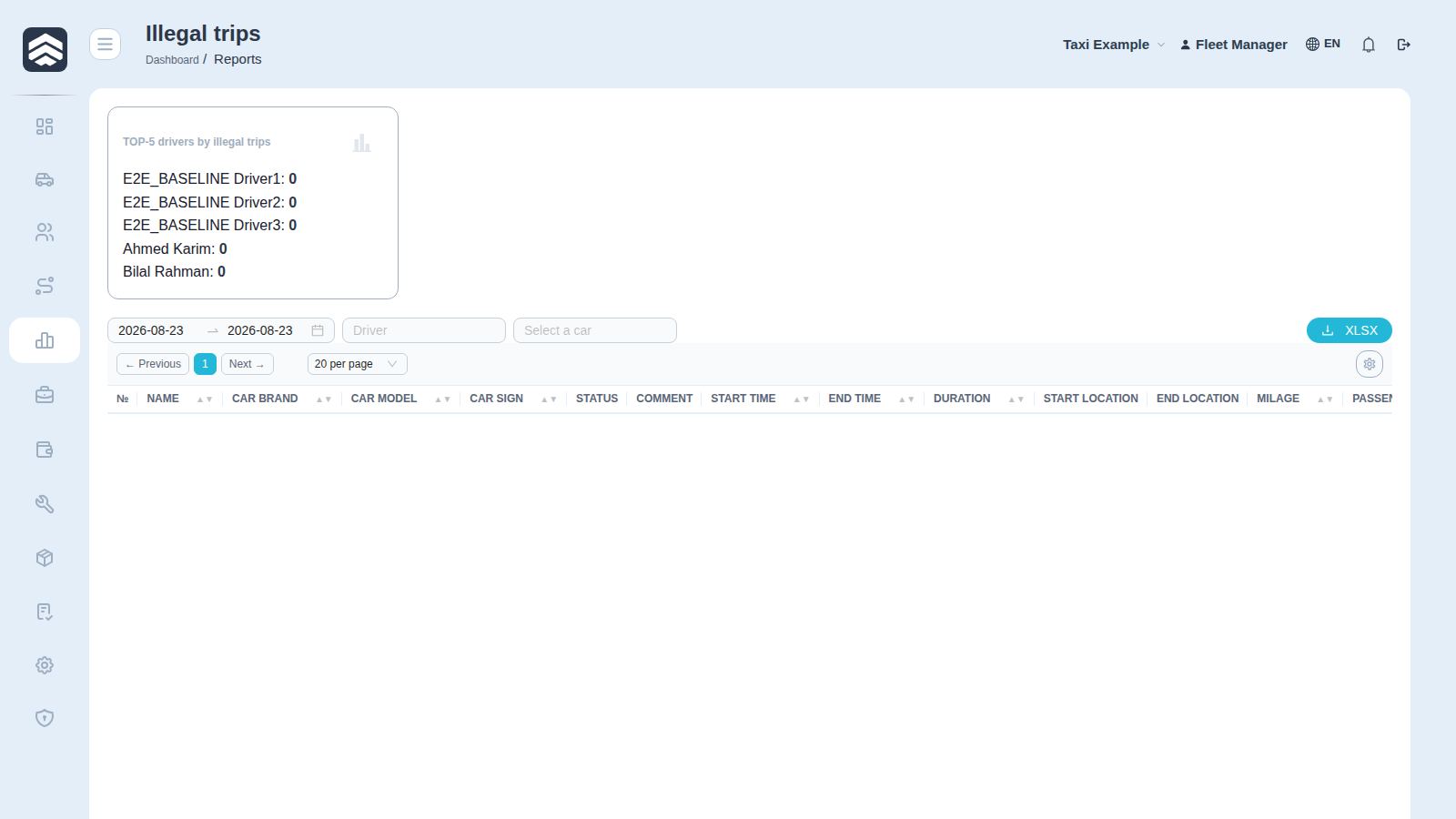
Reports → Illegal Trips (/reports/illegal-trips) shows movement that looks like a trip but was not one for any aggregator — the car drove, the meter did not.
¶ Table
| Column | Description |
|---|---|
| Name | Driver. If the tracker could not tell who drove — No driver, with Possibly: and the likely candidate |
| Car brand, Car model, Car Sign | Vehicle |
| Status | Verdict on the trip and the review buttons — see below |
| Order | Order found — an aggregator order or payment falls inside the trip; In progress — the trip is still going, end and distance are by the last tracker ping |
| Reason | Why the trip was flagged: Online without order, Offline in all aggregators, Busy in aggregator, No driver, Meter left on |
| Comment, Comments | Notes left during review |
| Start time, End time, Duration | When and how long |
| Start location, End location | Where it began and ended |
| Milage | Distance |
| Passengers count | Passengers detected |
| Quality percent | How confident the detection is |
| Details | Opens the trip with its route on the map |
Above the table, besides the dates, drivers and cars: Without driver keeps only trips nobody is assigned to, and Order: all narrows to Order found or No order.
¶ Reading the verdict, not the accusation
A row here is a suspicion, not a fact. A drive home, a trip to a service, a car moved around the yard all look the same to the detector. Quality percent says how sure the detection is, and the map in Details usually settles it in seconds.
That is why the status is set by a human: changing it requires ILLEGAL_TRIPS_CHANGE_STATUS, and the statuses available depend on the role — a reviewer and an approver do not see the same set.
¶ Closing a trip
- Assign driver to trip — on a row without a driver. The candidate from Possibly is preselected; confirm it or pick another driver.
- Close — on a row with Order found: the trip was paid through an aggregator. Sets the final status with a ready comment you can edit.
- Office order — closes the trip with an office order: link one of the driver's orders around the trip (Link & close) or create a new one from the trip — driver, car and time are taken from it (Create & close).
Close and Office order need ILLEGAL_TRIPS_PROCESS and are hidden on trips still in progress or already processed.