¶ Counterparties
Open in CRM: /counterparties
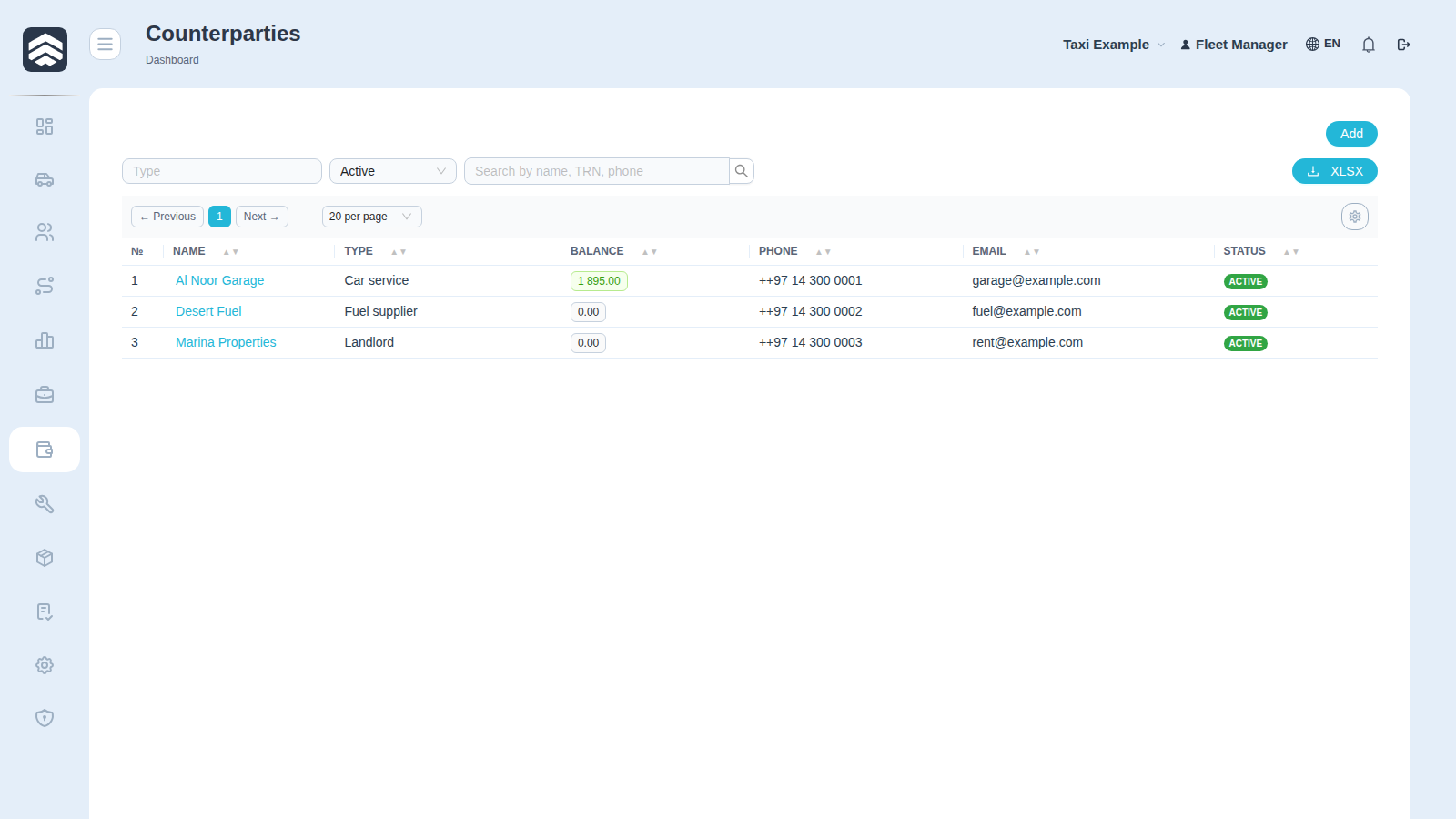
Counterparties (/counterparties) is the register of everyone the company pays or is paid by: services, suppliers, landlords, insurers. The same screen exists in every company type.
¶ Table
| Column | Description |
|---|---|
| Name | Opens the counterparty page — payments, documents, history |
| Type | Category from Counterparty types |
| Balance | What is owed, in either direction |
| Phone, Email | Contacts |
| Status | Active or Archived |
Search accepts name, TRN or phone — the same box for all three, so you do not have to know which one you remember.
¶ Creating
Add opens New counterparty with: Name, Type, Legal name, TRN, Address, Phone, Email, Bank, IBAN, SWIFT.
Legal name and TRN are not decoration — they are what an invoice is issued against. Bank details are what a payment is sent to, and a typo in IBAN is discovered by the bank, not by the system.
¶ Balance, and which way it points
Balance is the net of everything booked against the counterparty. A positive and a negative balance mean opposite things — read it together with the type of the counterparty before deciding who owes whom.
¶ Archiving instead of deleting
A counterparty with history is archived, not removed: transactions keep pointing at it. Archived rows disappear from pickers but stay in reports about past periods.
Rights: COUNTERPARTY_CREATE for Add.
¶ Related pages
Counterparty card · Counterparty types · Transactions · Payment calendar · Common screens