¶ Money
Open in CRM: /finance/overview
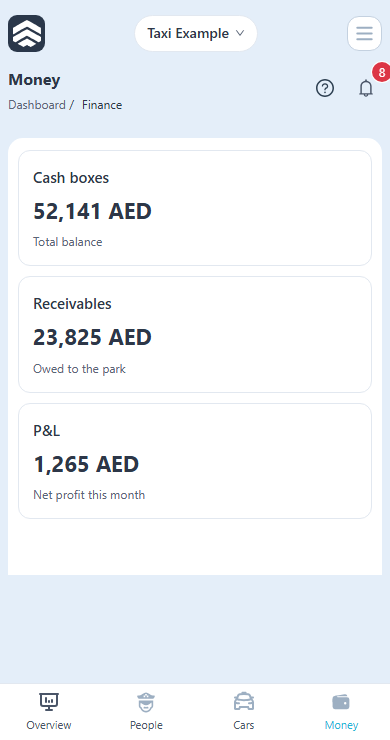
Money (/finance/overview) is the phone starting point for the fleet's money — the Money tab of the phone navigation leads here. Three tiles show live figures, each tile only with its own right:
- Cash boxes — the total balance of all cash boxes; opens Cashboxes.
- Receivables — what counterparties owe the fleet; opens the payment calendar.
- P&L — net profit of the current month; opens P&L.
A tile you have no right to is not shown, and its figure is not even requested. If none of the three is yours, the page sends you to the home screen.
¶ On a phone
Each tile opens a phone version of its screen. All three only read:
- Cash boxes — the total (cash and card) and one card per cash box with its balance.
- Payment calendar — payments of this or last month as cards with their status; the status chips filter the list. Approving and rejecting stay on the computer.
- P&L — one month at a time: pick the month with the chips, change the year with the arrows. Income, expenses and net profit are listed article by article; an article with no money that month is left out. Month-to-month comparison and the workbook are on the computer.
¶ Related pages
Cashboxes · Payment calendar · P&L · Working from a phone · Finance