¶ Repair order
Open in CRM: /repair-orders/edit/9685
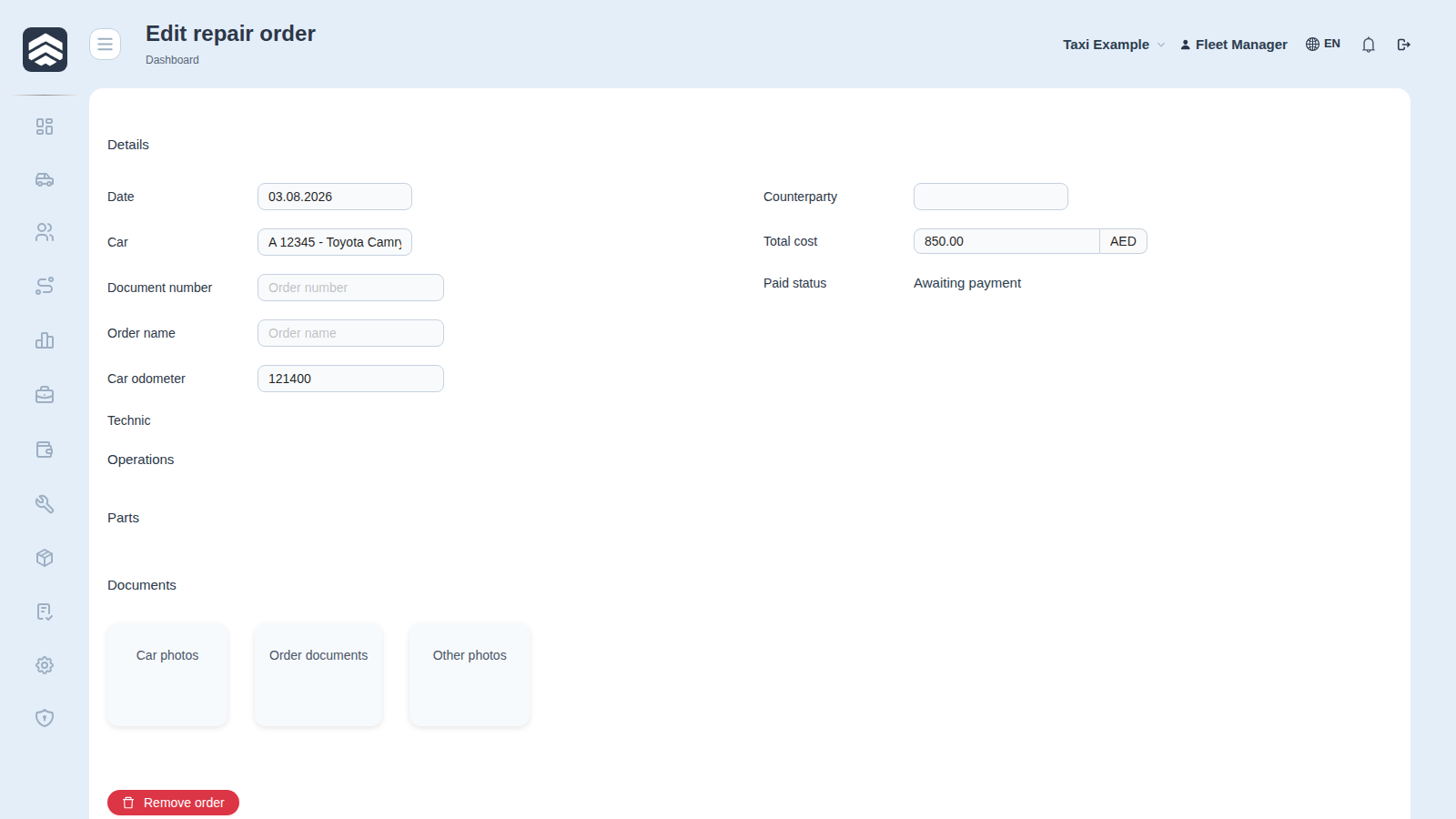
The form of one repair: what was done to the car, by whom and for how much. Opened from Service — the Add button or a row.
¶ What to fill in
The car, the service (a counterparty), the mechanic, the date, the odometer, the work description and the cost, plus whether the invoice is paid.
The same form holds the entry date, the exit date and the work type (scheduled maintenance, unscheduled repair, accident).
¶ Entry and exit dates
One date on the order is not enough to measure how long the repair took: the executive dashboard reads the car's downtime from the entry-exit pair, and the cost of that downtime from the same place. The exit date does a second job as well — it is the accrual date, so the repair lands in the period when the work was accepted rather than when the invoice was paid.
The work type splits repairs into scheduled maintenance, unscheduled repair and accident — the split that shows whether the fleet is serviced on a schedule or on a breakdown.
¶ Two fields that are worth the extra second
Odometer turns the repair log into a service history: pads at 120 000 answers a question that pads in March does not.
Counterparty service is what lets the same repair appear in the settlement account of the garage that did it. A repair booked without a counterparty is money spent with nobody.
¶ Related pages
Service · Car card · Counterparties · Executive dashboard · Taxi