¶ Service
Open in CRM: /repair-orders
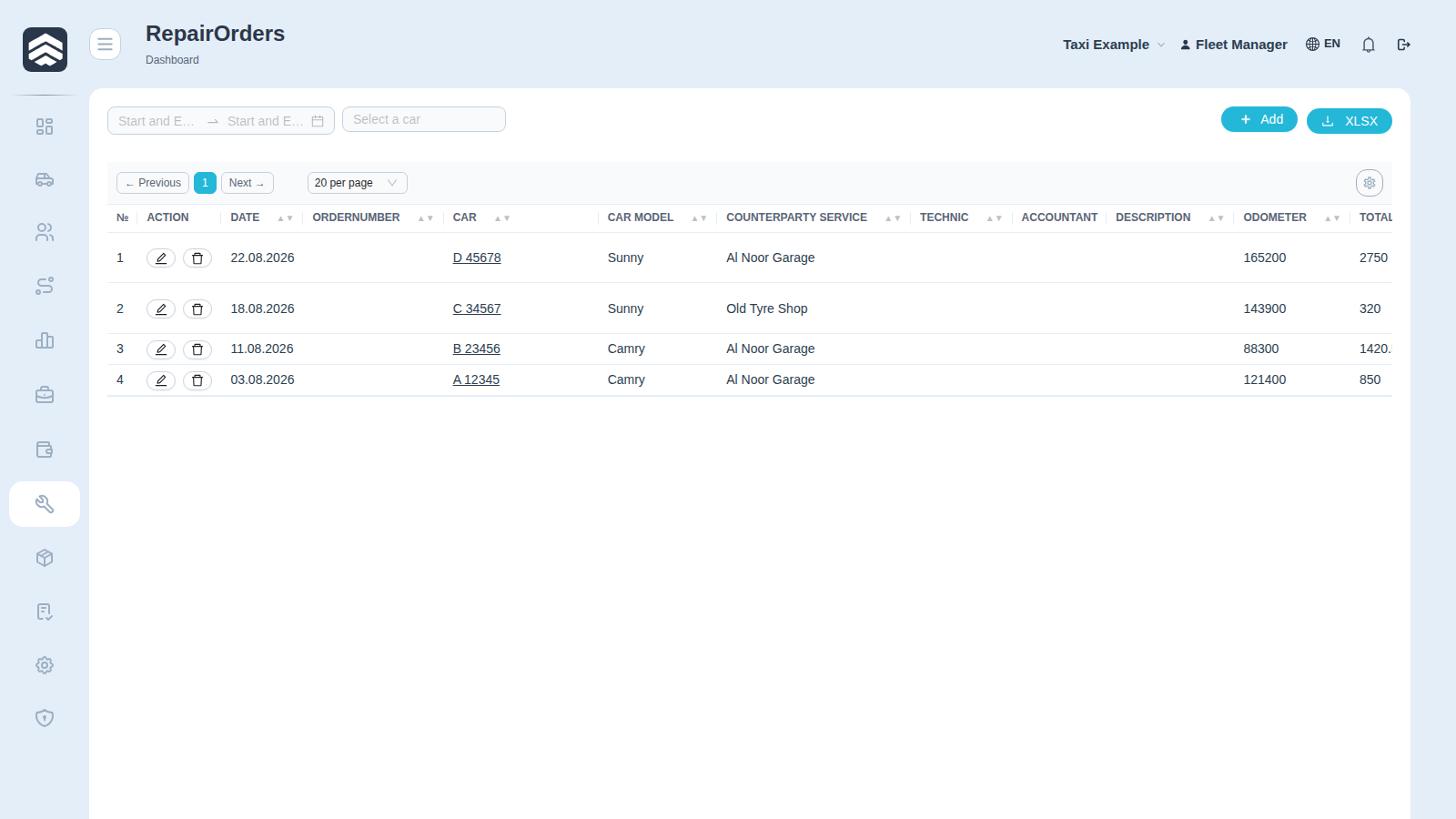
Service (/repair-orders) is the repair log: what was done to which car, by whom, for how much, and whether it has been paid.
¶ Table
| Column | Description |
|---|---|
| Action | Open and delete |
| Date | When the work was done |
| OrderNumber | Repair order number |
| Car, Car model | The vehicle |
| Counterparty service | The service that did the work — from Counterparties |
| Technic | The mechanic |
| Accountant | Who booked the cost |
| Description | What was done |
| Odometer | Mileage at the time of the repair |
| Total cost | Amount |
| Is paid | Whether the invoice is settled |
¶ Why odometer is on every order
Mileage at the moment of repair is what makes service history readable later: brake pads at 120 000 answers a question that brake pads in March does not.
¶ Entry and exit dates, type of work
A repair order carries an entry date, an exit date and the type of work (scheduled maintenance, unscheduled repair, accident). This is not paperwork: the executive dashboard computes the average repair time and the cost of standing still from them. While the fields stay empty, a repair remains just an amount in the costs — you see what was spent, but not how long the car was out of service.
¶ Cost and P&L
Total cost lands in the P&L of the specific car through the purpose of its transaction — this is what makes an expensive car visible in PNL → By car.
The cost is recognised by its accrual date: a repair lands in the period when the work was accepted, not when it was paid for. A repair paid the following month therefore does not distort the profit of the month the car actually stood idle.
Rights: REPAIR_ADD to create, REPAIR_DELETE to remove.
¶ Related pages
Repair order · Car card · Counterparties · Mechanic cabinet · Executive dashboard · Taxi