¶ Car card
Open in CRM: /cars/9600
The card of one vehicle: everything the fleet knows about it, on tabs. You get here by clicking the plate in Cars.
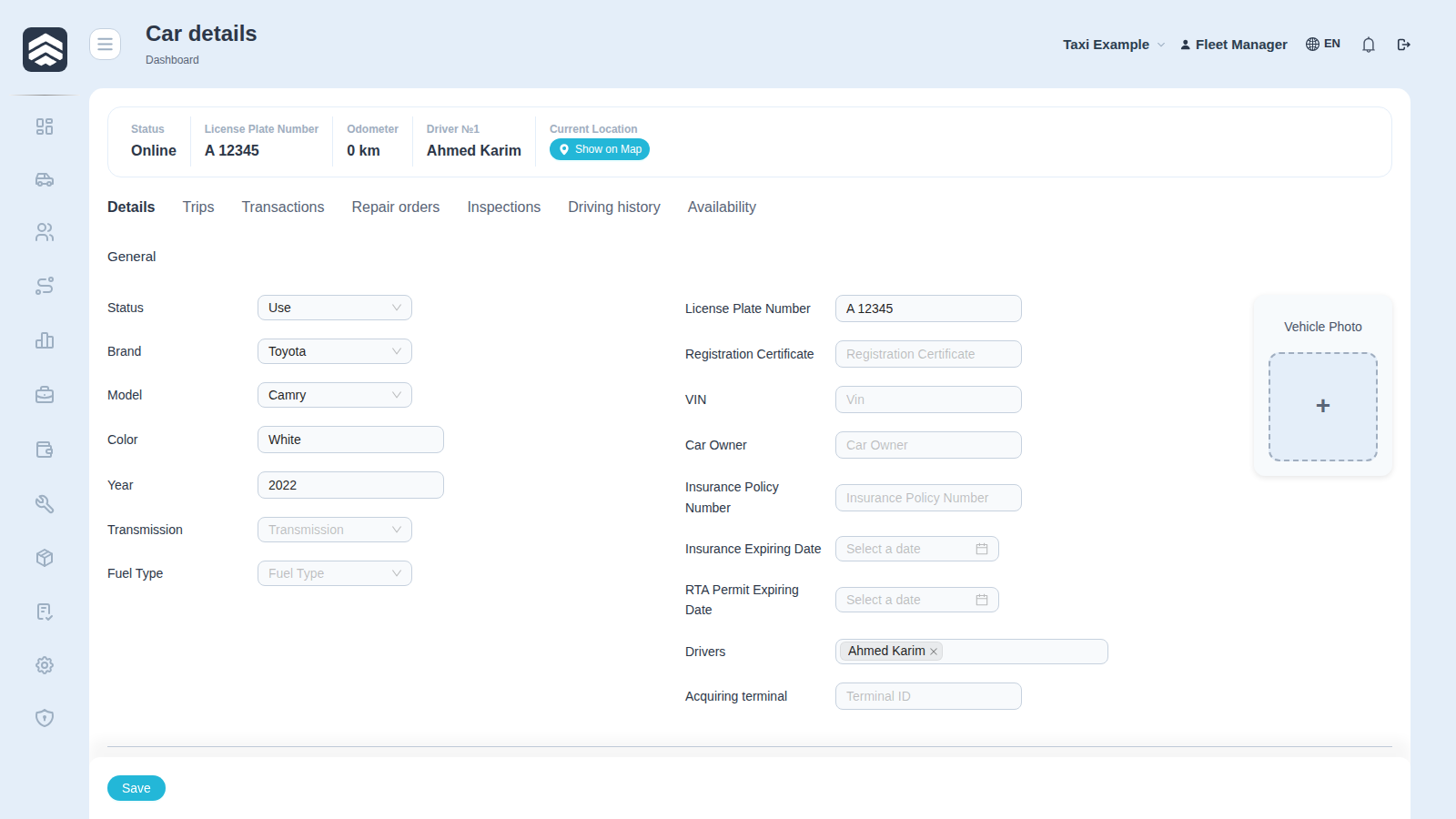
¶ Header
Status, Online, License Plate Number, Odometer, driver number, Current Location and Show on Map — the last one opens the position on the fleet map.
¶ Tabs
| Tab | What is on it |
|---|---|
| Details | The card itself: brand and model, year, colour, VIN, documents, insurance, owner |
| Trips | Trips of this car |
| Transactions | Money booked against the car — the same rows as in Transactions, filtered to it |
| Repair | Repairs of this car, from Service |
| Inspections | Inspection history, from the Mechanic cabinet |
| Economics | Ownership, financing and insurance — see below |
¶ The "Economics" tab
The financial side of the car: what the executive dashboard uses to compute fleet value, payback and cost per vehicle-day. Requires the CAR_ECONOMICS_EDIT right — held by administrators and the accounting team, not by fleet operators.
Three blocks:
- Ownership — purchase price, purchase date, "in fleet since", useful life in months, residual value, acquisition method (cash, loan, leasing, instalments, investor). If the car has left the fleet — the disposal date and proceeds.
- Financing — the loan or lease contract: amount, down payment, rate and its type (flat or reducing), term in months, first payment date. The schedule is generated by Save and regenerate schedule; rows edited by hand survive regeneration.
- Insurance — policies: number, premium, start and end dates. A new policy closes the previous one, and policies are never deleted — the history builds up.
Cars still missing this data are collected on a separate screen, Cars without economic data: a worklist rather than a report. Until the data is there the dashboard honestly says "not enough data" instead of a zero.
¶ Car statuses
The car status gained a Documents value — for the days a car stands idle over paperwork. Status changes are written to a log, from which the dashboard computes fleet utilisation and the cost of standing still. The log starts at release; history was restored only partially.
¶ Why the tabs matter more than the header
The header answers what is this car; the tabs answer is it worth keeping. A car with cheap repairs and steady trips and a car with the same plate and three gearbox jobs look identical in the list — and completely different here.
¶ Related pages
Cars · Driving history · Driver card · Service · Mechanic cabinet · Fleet map · Executive dashboard · Taxi