¶ Cars
Open in CRM: /cars
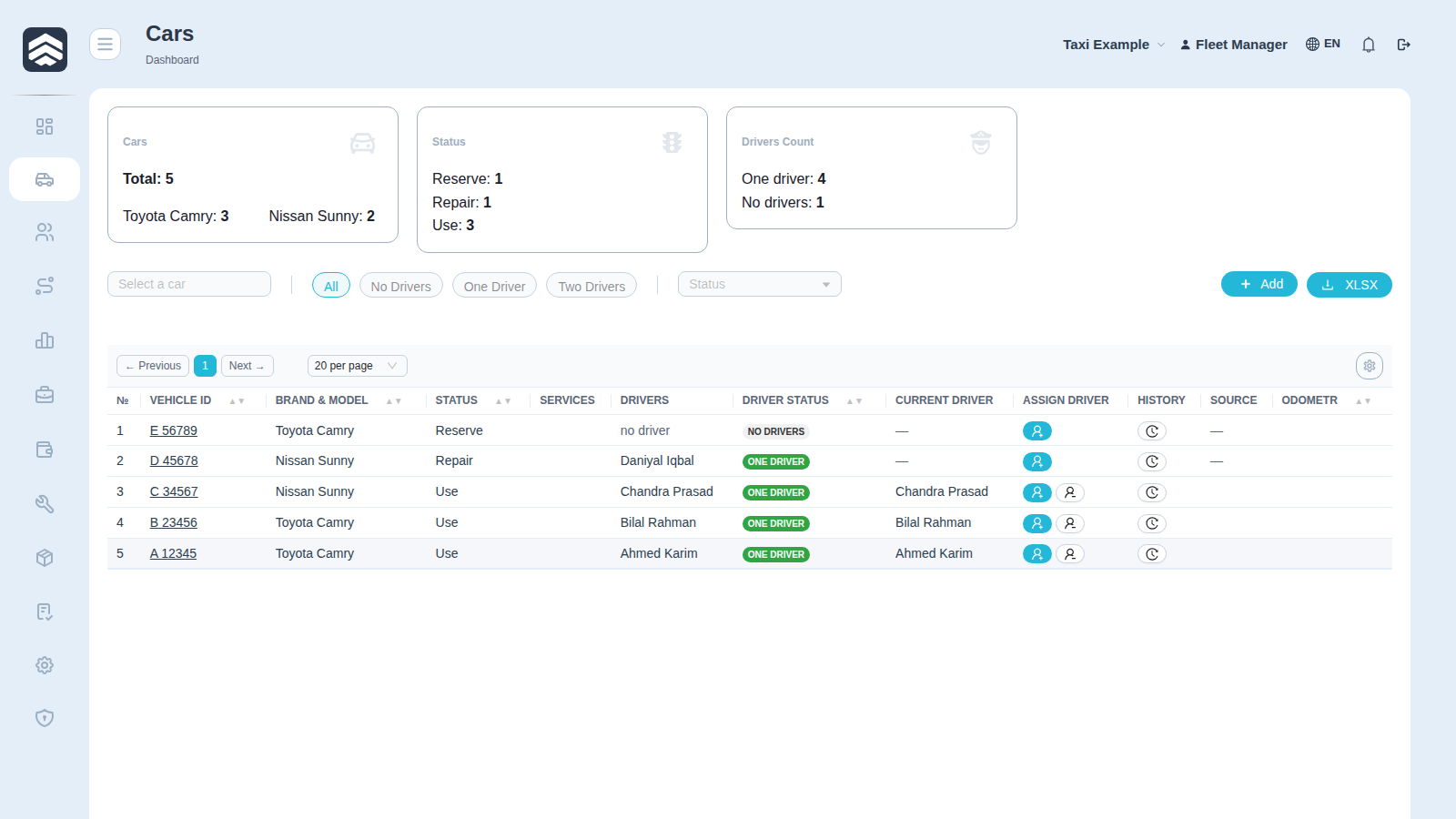
Cars (/cars) is the vehicle register: what the fleet owns, what state each car is in, and who is driving it right now.
¶ Widgets
| Widget | What it counts |
|---|---|
| Cars | Vehicles in the fleet |
| Total | Rows matching the current filter |
| Status | Breakdown by vehicle status |
| Drivers Count | Drivers currently bound to cars |
¶ Table
| Column | Description |
|---|---|
| Vehicle ID | Licence plate — the identity of the car everywhere in the system |
| Brand & Model | From the car dictionary, not free text |
| Status | Vehicle state |
| Services | Aggregators the car is registered with |
| Drivers | How many drivers are attached |
| Driver status | State of the current driver |
| Current driver | Who is driving now, or no driver |
| Assign driver | Bind / release control |
| History | Driving history of this car |
| Source | Integration the car came from |
| Odometr | Last known mileage |
Filters Selected Cars and Selected Statuses are multi-select and live in the query string, so a filtered view can be shared as a link.
¶ Binding a driver
Assign driver attaches a driver, Release detaches. Both ask for confirmation, and that is not ceremony: the binding decides which car a driver's income and expenses land on, so a wrong binding quietly moves money until somebody notices.
Rights: CAR_DRIVER_BIND to bind and release, CARS_ADD for Add car.
¶ Adding a car
Add car asks for the Car sign (licence plate). The rest of the card is filled in on the vehicle page afterwards.
¶ Export
XLSX exports exactly the columns you see, in the order you arranged them — the gear controls both the screen and the file.
¶ Related pages
Car card · Driving history · Drivers · Service · Mechanic cabinet · Fleet map · Taxi